
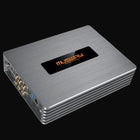
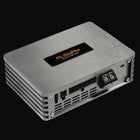
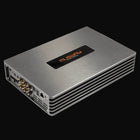
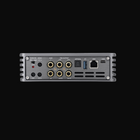
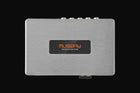
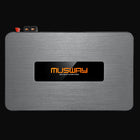
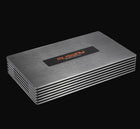
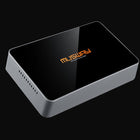
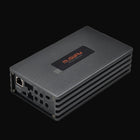
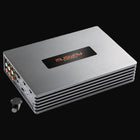
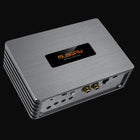
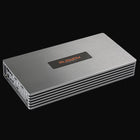
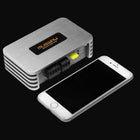
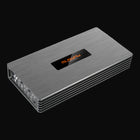
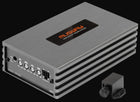
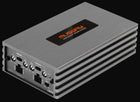
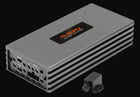
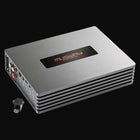
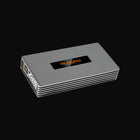
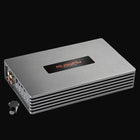
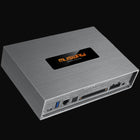
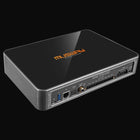
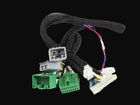
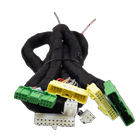
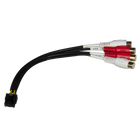

A digital sound processor is only as useful as your ability to control it. For years, DSP tuning meant sitting in the car with a laptop and a USB cable. Musway changed that by building smartphone app control, dedicated remotes and a smart controller around its DSP amplifiers and processors. Today you can adjust volume, subwoofer level, presets and even full DSP settings from the driver's seat.
This guide covers the three main Musway control accessories, how they work together, and practical tuning tips you can use right away.
Which Musway products support app and remote control?
The BTA2 dongle and DRC1 remote work with the M4+, M6, D8 and M12 DSP amplifiers, and with the DSP68 and TUNE12 stand-alone processors. Always check the compatibility list on each product page for your exact model.
BTA2: Bluetooth streaming and app control
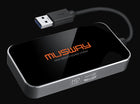
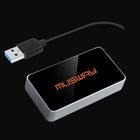
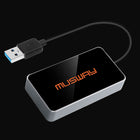
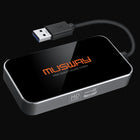
The Musway BTA2 is a USB dongle that plugs into your DSP amplifier or processor and adds two features at once:
- Audio streaming. Stream music wirelessly from your phone or tablet straight into the DSP, bypassing the factory radio's processing entirely. Select the Bluetooth input through the DSP software or the DRC1 remote.
- App control. Configure and control DSP settings with the free Musway app, available for iOS and Android.
If you only need streaming, Musway also offers the BTS and the BTS HD, which streams aptX HD high-resolution audio.
DRC1: a digital remote for the dash
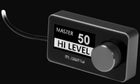
The DRC1 is a compact digital remote control with an OLED display. It gives you:
- Master volume control on the amplifier or processor.
- Subwoofer level control, which can be assigned to a specific channel pair.
- Input selection between high level, Bluetooth, auxiliary and optical sources.
- Access to six stored DSP presets.
- Instant mute with a short press of the rotary knob.
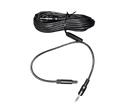
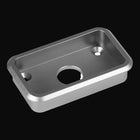
The DRC1 can be surface mounted or custom installed and connects with the included 16.5-foot cable. For a factory-looking finish, the MB-DRC flush mounts integrate it cleanly into a panel.
myCON: the smart DSP controller
The Musway myCON is a sleek smart controller designed for effortless tuning and real-time adjustments. It gives you a premium, tactile way to control the system without reaching for your phone, and it fits naturally into a modern interior.
Which control option is right for you?
| You want to... | Choose |
|---|---|
| Stream music and adjust settings from your phone | BTA2 |
| Stream high-resolution audio only | BTS HD |
| A physical knob for volume, subwoofer level and presets | DRC1 |
| A premium smart controller for real-time adjustment | myCON |
Many owners combine them: the BTA2 for streaming and occasional app changes, and a DRC1 or myCON for everyday control while driving.
Getting the most out of presets
Presets are the most underused feature in DSP systems. With six stored presets, you can switch the entire character of your system in seconds. Popular setups include:
- Driver focus: time alignment and EQ optimized for the driver's seat, for the most accurate stereo image.
- All seats: a balanced tune with time alignment relaxed so passengers hear an even sound.
- Bass boost: a higher subwoofer level and a warmer low-end EQ for weekend listening.
- Late night: reduced subwoofer and softened highs for quiet, relaxed listening.
- Podcast and calls: boosted vocal range and reduced bass for clear speech.
- Factory flat: a reference tune to compare against when you experiment.
Tuning tips from the driver's seat
- Change one thing at a time. Adjust a single EQ band or delay, listen, then move on. It is the fastest way to learn what each setting does.
- Cut before you boost. Reducing a harsh peak usually sounds cleaner than boosting everything around it.
- Use familiar music. Choose well-recorded tracks you know by heart so you can hear every change.
- Set subwoofer level last. Get the front speakers sounding right first, then blend the subwoofer in until the bass sounds like it comes from the front.
- Save often. Store your tune to a preset before experimenting, so you can always return to a known good setting.
- Leave the deep work to a pro. A professional tune with a measurement microphone is the best foundation; use the app and remote for everyday adjustments on top.
Frequently asked questions
Is the Musway app free?
Yes. The Musway app is free on the App Store and Google Play. You need a BTA2 dongle connected to a compatible Musway DSP amplifier or processor.
Can I use the app and the DRC1 together?
Yes. Many owners use the app for detailed changes and the DRC1 for quick volume, subwoofer and preset control while driving.
Will Bluetooth streaming sound better than my factory radio?
Streaming into the DSP bypasses the factory radio's processing, so it often sounds cleaner and fuller. The BTS HD adds aptX HD support for higher-resolution streaming.
Can I lock my installer's tune?
Store the professional tune on a dedicated preset and use the other presets for experimenting, so the original tune is always one press away.
The bottom line
Musway DSP products are designed to be lived with, not just installed. Add a BTA2 for streaming and app control, a DRC1 or myCON for hands-on control, and use presets to make your system sound right for every drive.
Not sure which product suits your car?
Tell the US team your vehicle, speakers and goal. They will spec it with you first.
